
Pony Express
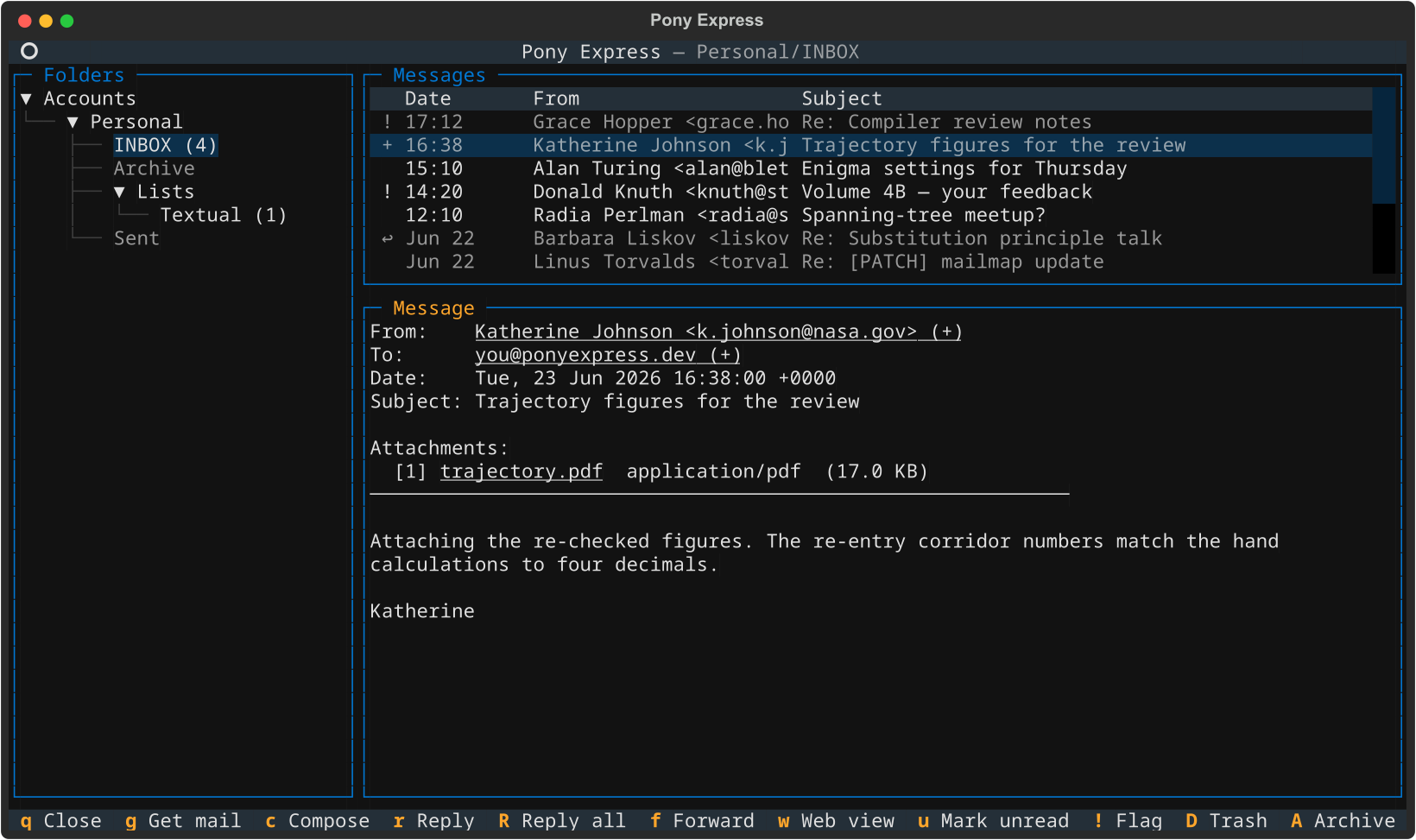
Pony Express is a terminal-first mail user agent written in Python. It
synchronises mail over IMAP, stores it locally in Maildir or mbox format,
indexes it in SQLite for fast search, and presents it through a keyboard-driven
terminal interface. Outgoing mail is sent over SMTP with optional Markdown
rendering to multipart/alternative.
Note
All screenshots in this documentation are rendered from synthetic demo
data — no real account is involved. Regenerate them with
uv run python scripts/capture_screenshots.py.
Features
| Area | What it does |
|---|---|
| Sync | IMAP synchronisation with two-pass plan/execute, three-way flag merge, mass-deletion protection, progress reporting, and non-destructive conflict handling |
| Storage | Per-account local mirrors in Maildir or mbox format with batched SQLite transactions for fast indexing |
| Index | SQLite-backed metadata: full-text search across sender, recipients, subject, and body; flags, pending operations, and sync checkpoints in a unified message table |
| TUI | Three-pane terminal reader (Textual); browse, search, sync, flag mail without leaving the keyboard. Each screen shows only its own relevant keybindings |
| Composer | Reply, forward, compose from scratch; Markdown mode produces multipart/alternative email; external editor support; attachment picker |
| Contacts | Person-centric address book with multiple emails per contact, aliases, interactive browser/editor with mark/merge/delete, BBDB import/export for Emacs interop |
| Credentials | Four backends: plaintext, environment variable, external command, OS-encrypted blob |
| Diagnostics | pony doctor checks config, index, mirror integrity, and dependencies; reports orphan files and stale index entries |
Requirements
- Python 3.13 or later
- uv (recommended) or pip + virtualenv
Installation
From GitHub with uv (no clone needed):
From source:
Prebuilt relocatable archive — download the .zip (Windows) or .tar.gz
(macOS/Linux) from the
Releases page,
extract it anywhere, and run the pony executable inside.
Windows installer — download pony-windows-vX.Y.Z-setup.exe from
Releases and run it.
The installer adds pony to your PATH automatically.
Quick start
-
Add your first account (the wizard guides you through it):
Or edit the config file directly:
Tip
If you skip this step and run
pony tuiorpony sync, Pony detects the missing config and offers to launch the wizard automatically. -
Check the setup:
-
Run your first sync:
-
Open the TUI:
See the Configuration page for a full reference on account setup and credential backends.
Application paths
Pony Express follows platform conventions and respects standard environment variable overrides.
| Platform | Config file | Data directory | Logs |
|---|---|---|---|
| Linux | ~/.config/pony/config.toml |
~/.local/share/pony/ |
~/.local/state/pony/logs/ |
| macOS | ~/.config/pony/config.toml |
~/.local/share/pony/ |
~/.local/state/pony/logs/ |
| Windows | %APPDATA%\pony\config.toml |
%LOCALAPPDATA%\pony\ |
%LOCALAPPDATA%\pony\logs\ |
The SQLite index lives at <data_dir>/index.sqlite3. Mirror directories are
specified per-account in the config file and can live anywhere.
Environment overrides
Any path can be redirected before launch:
| Variable | Overrides |
|---|---|
PONY_CONFIG_DIR |
Directory that contains config.toml |
PONY_DATA_DIR |
Data directory (index DB) |
PONY_STATE_DIR |
State directory (logs) |
PONY_CACHE_DIR |
Cache directory |
The --config CLI flag accepts an explicit path to a config file and takes
precedence over everything else.
Documentation
| Page | Contents |
|---|---|
| Configuration | Full config reference, all fields, credential backends |
| CLI Reference | Every command, flag, and example |
| Terminal UI | Three-pane reader, keybindings, search, sync |
| Composer | Compose, reply, forward, Markdown mode, attachments |
| Contacts | Person-centric address book, browser/editor, BBDB import/export |
| Synchronization | How sync works, conflict handling, safety features, caveats |
| Architecture | Technical design, subsystem boundaries, data flow |
| Development | Building, testing, contributing |